
01
Integrated Workflow
Work directly in Adobe Illustrator.
Professional web imposition for Adobe Illustrator. Configure layouts, manage printing inks, control winding directions and prepare production marks in one integrated workflow.
Less manual work. More production control.
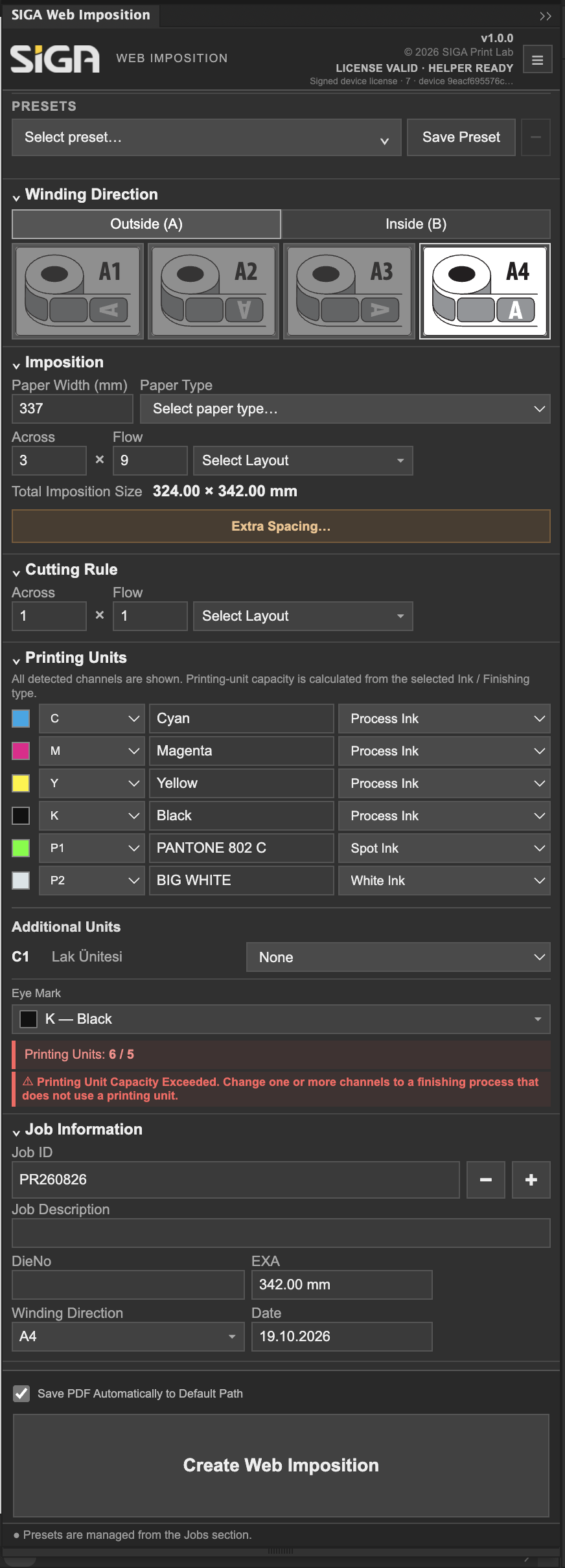
Actual SIGA Web Imposition interface · Original screenshot
From artwork preparation to production-oriented layouts, SIGA reduces repetitive operations while keeping critical settings in the operator's hands.
Work directly in Adobe Illustrator.
Reduce repetitive layout and mark placement tasks.
Configure machine limits, inks and winding directions.
Reuse production settings with presets.
Watch a real web imposition workflow recorded directly in Adobe Illustrator.
Actual SIGA Web Imposition screen recording · 2 min 3 sec
Across × Flow imposition with cut-path handling, bleed, spacing and winding-direction control.
Explore Imposition →Parameter overview, not a product screenshot.
Define width and usable matrix height.
Configure plate dimensions and gripper allowance.
Set ink-unit capacity for your press.
Manage process inks, spot colors and white ink separately from finishing operations such as spot varnish and embossing.
Finishing is not counted as an additional printing color.
Supported registration and production marks are positioned according to the selected imposition and ink setup.
Open artwork and identify its cutting path.
Set machine, ink and winding settings.
Add jobs and configure Across × Flow.
Create the imposition.
Inspect geometry, marks and colors.
Save the production document or PDF.